Uploading Files on an Applicant's Behalf
When using Rekrutek, there may be times when a user needs to upload files on an applicant’s behalf. This may be due to a range of reasons, such as the applicant having technical difficulties when attempting to upload on a mobile device, or files being sent from the applicant to a recruiter directly (rather than within a Data Collection stage).
To upload a file on an applicant’s behalf, please follow the steps below:
- Navigate to the Applicant Profile.
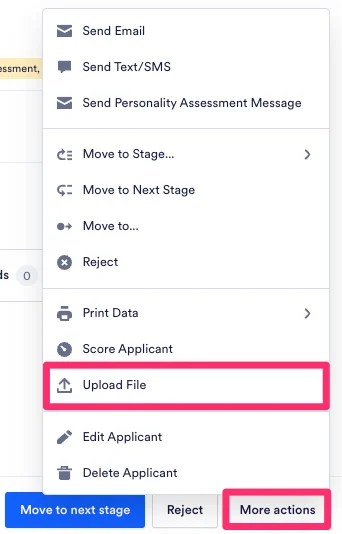
- Click on More actions at the bottom.
- Click Upload File.
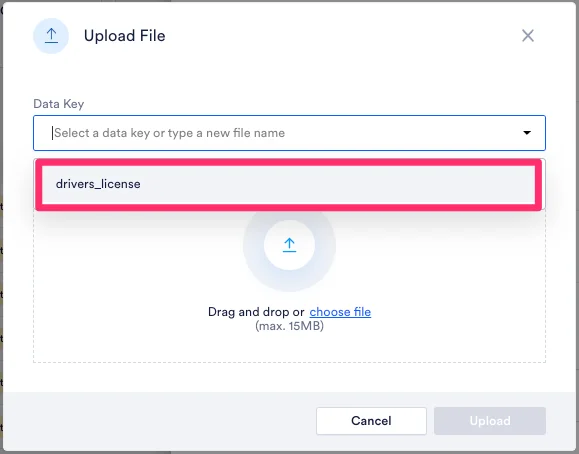
- In the Data Key dropdown, select the data key that the file should be assigned to. You can also type a new file name in the Data Key field. However, Rekrutek recommends using an existing Data Key rather than typing a new file name when uploading a new file on behalf of the applicant.
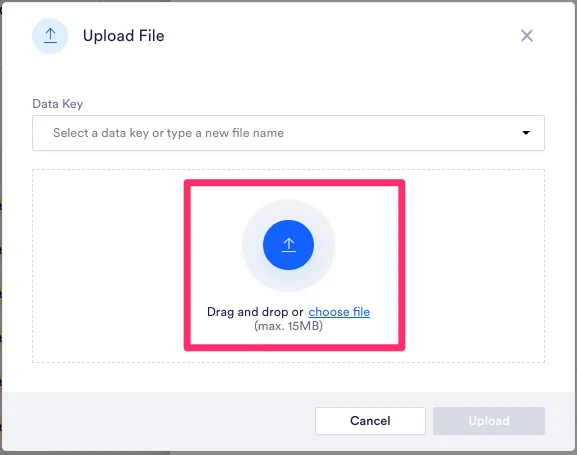
- Drag and drop the file into the file upload section or click the choose file link and select the file from your device.
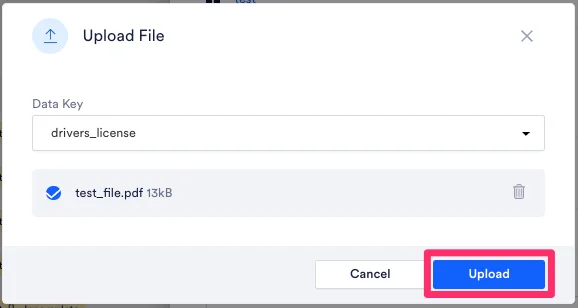
- Click Upload to upload the file.