Northpass
Northpass is the provider of the leading all-in-one learning platform that helps today’s cutting-edge businesses train their customers, partners, and employees. Its SAAS-based solution features ultra-fast authoring, intelligent administration, and integrated learning experiences. You will need a Northpass account to use this integration.
Setting Up Northpass Integration
Section titled “Setting Up Northpass Integration”-
Make sure that you have the courses you want to integrate in your Northpass account.
-
In your Northpass account, go to Apps on the top bar and click Configure next to the Rekrutek app.

-
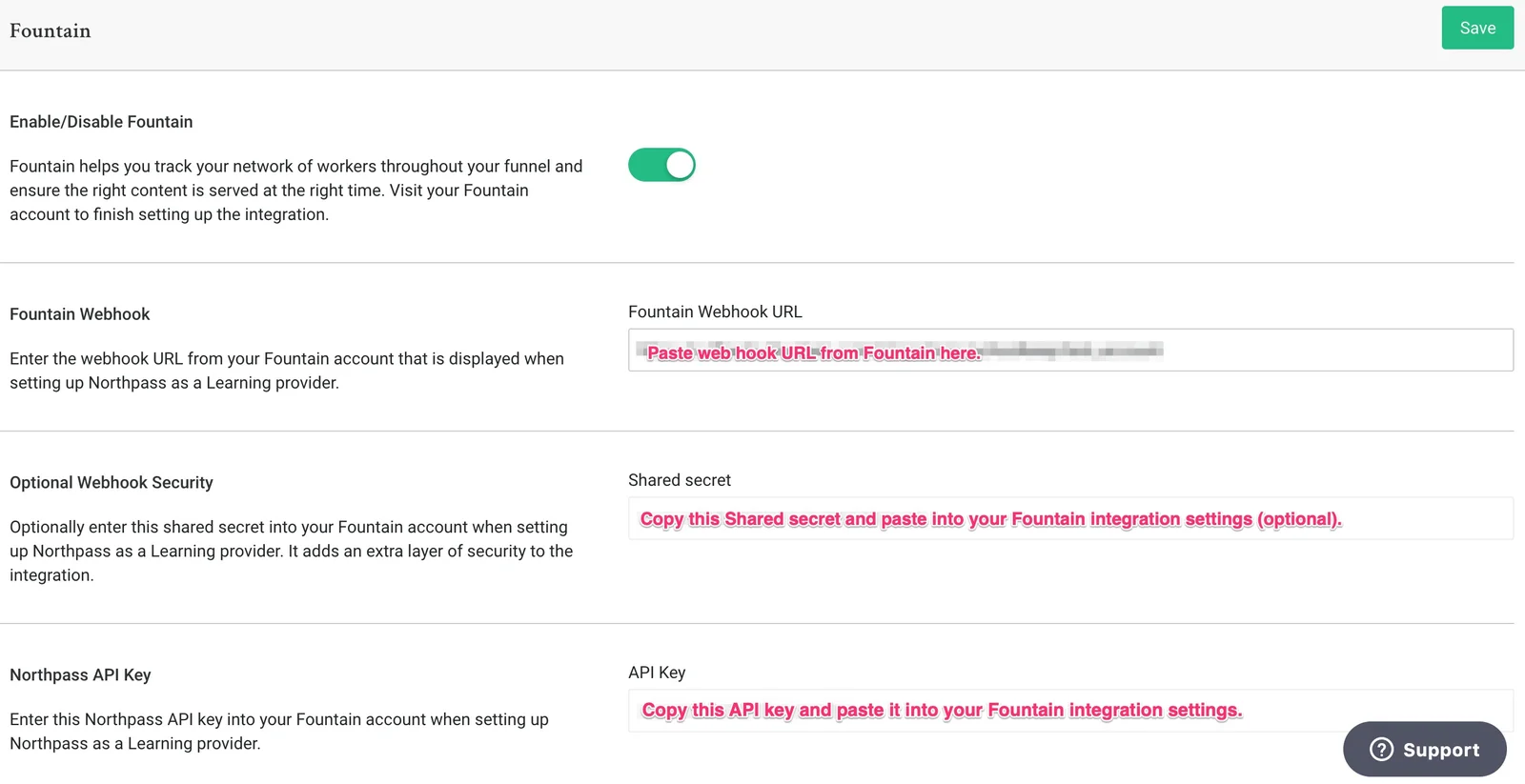
From the Rekrutek configuration page, copy the Northpass API Key and the Shared secret key (optional).
-
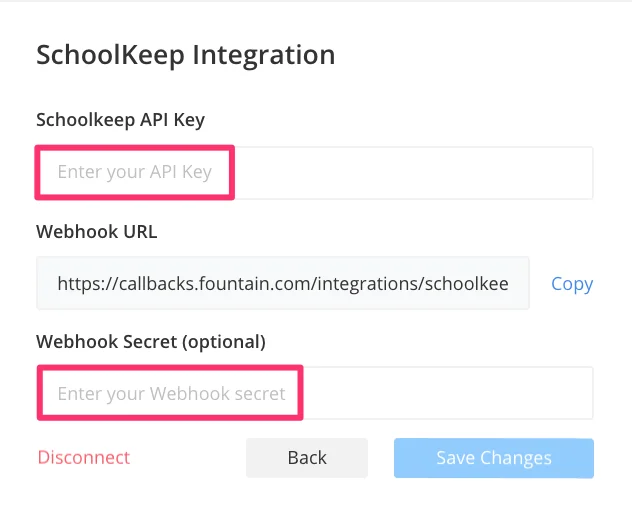
Paste the following Rekrutek webhook URL into your Northpass webhook settings. Make sure you input the correct company slug instead of YOURCOMPANYNAME.
https://callbacks.rekrutek.ai/integrations/schoolkeep/YOURCOMPANYNAME -
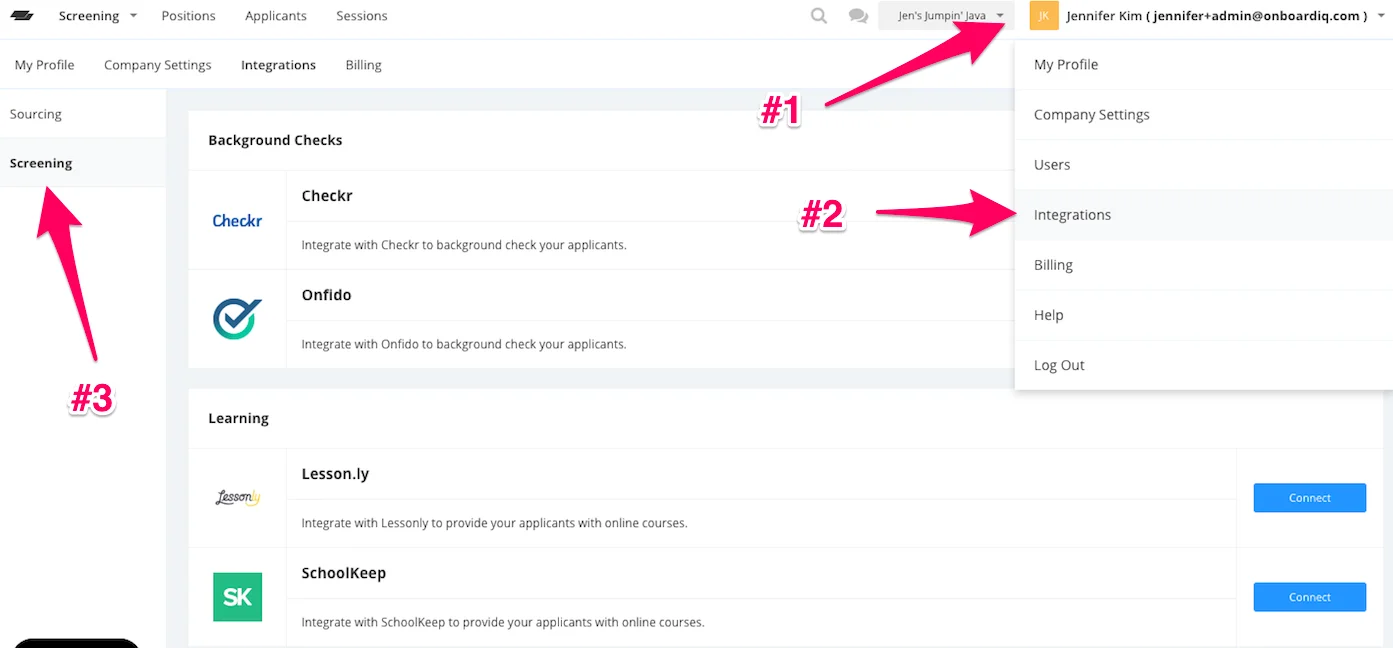
Return to Rekrutek, hover over your name at the top right, and click on Integrations > Screening.
-
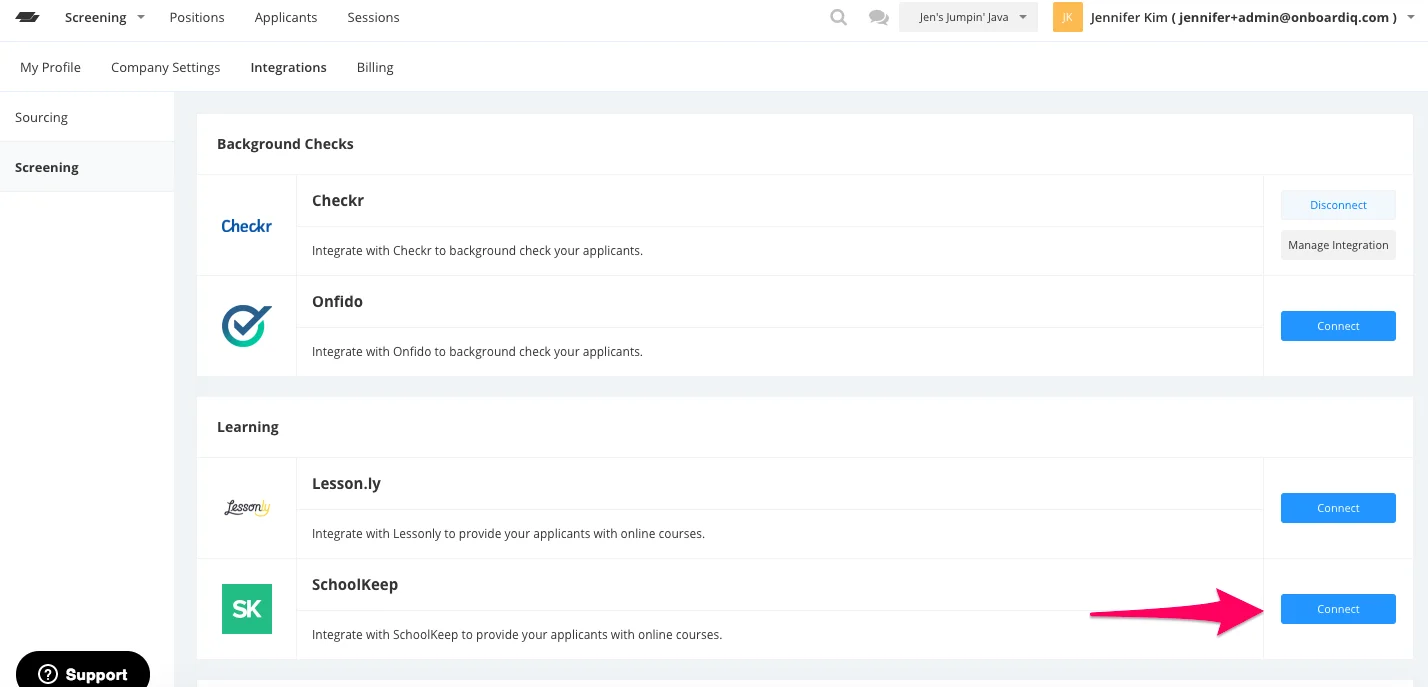
Click the blue Connect button next to Northpass.
-
Paste your Northpass API Key and Webhook Secret (optional) into the Rekrutek stage settings.
-
Once the callback and API key are set up, you can add and assign a Northpass course to your learning stage.