
Position
A Position is the job title of an Opening that holds the job description and Application Form that the applicants see and submit an application for.
Add Position
Section titled “Add Position”-
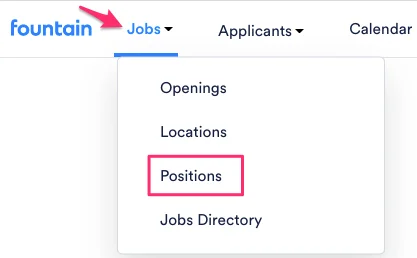
Hover over Jobs in the top navigation bar, and select Positions.
- Click the blue Add Position button.

-
Give the position a name e.g. Delivery Driver, Cashier, or Ambassador.
-
Click on Customize Application Form to fill out the job description and edit the Application Form. Skip this step if you’re using an external application form.
-
Hit the blue Save button at the bottom of the page, and you’re all set.
Cloning a Position
Section titled “Cloning a Position”-
Under Jobs on the top bar, click on Positions.
-
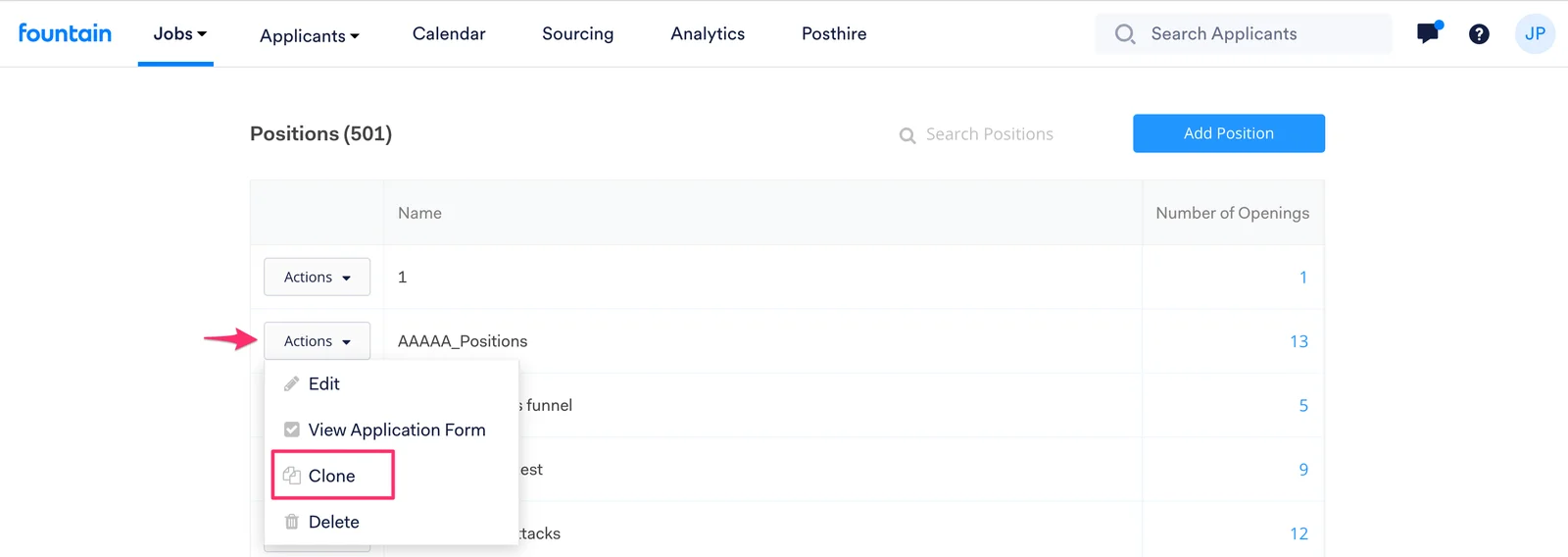
Click Actions and select Clone from the dropdown menu next to the position you would like to copy.
-
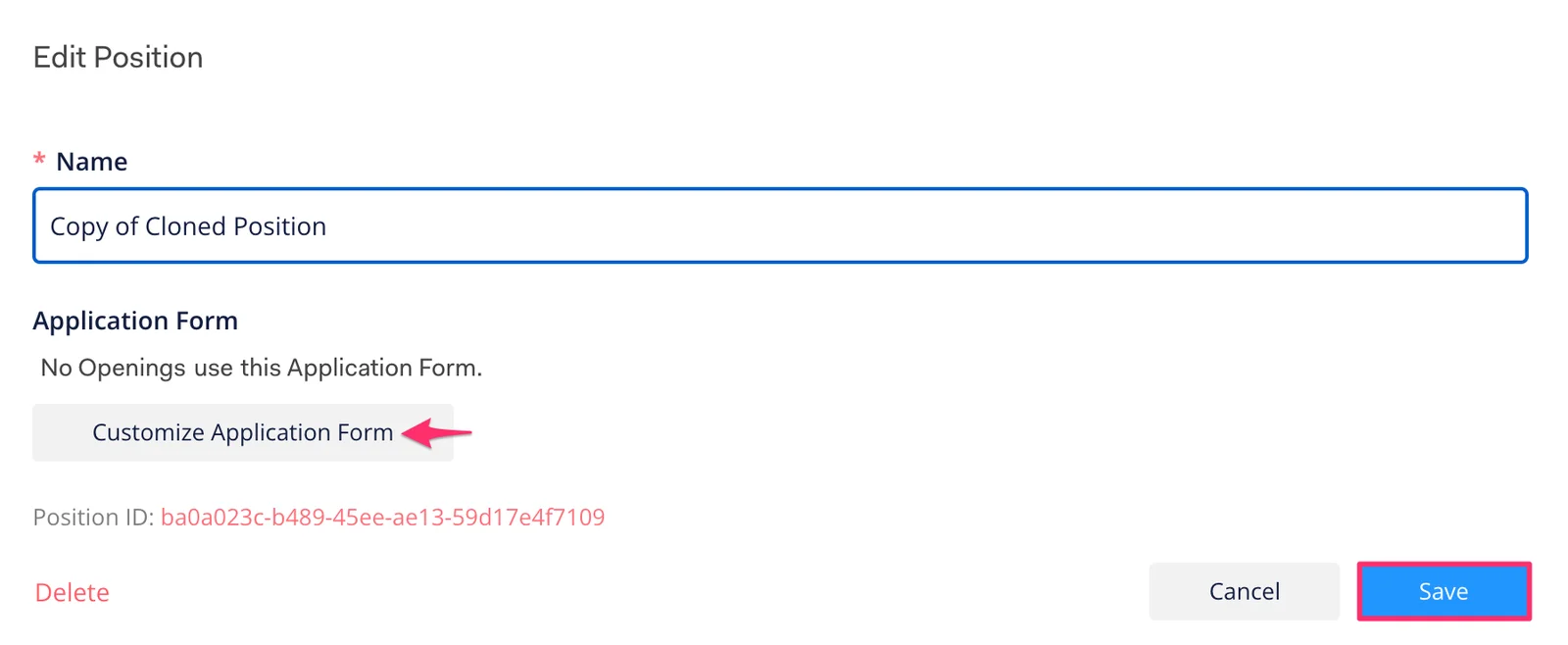
Give the cloned position a unique title. Click Customize Application Form to further personalize the opening.
-
Click Save.
Edit/Delete Position
Section titled “Edit/Delete Position”- Hover over Jobs in the top navigation bar, and select Positions.
- Click on Actions next to the Position you wish to edit.
- Click Delete or Edit.
- Click Save.