
HRIS or Internal Database Webhooks
Rekrutek can send data to your HRIS (Human Resources Information System) or an internal database via webhook.
Set Up HRIS/Internal Database Webhook
Section titled “Set Up HRIS/Internal Database Webhook”To set up the webhook, follow the steps below:
-
Click your initials icon in the top right of any Rekrutek page and then click Company Settings in the dropdown.
-
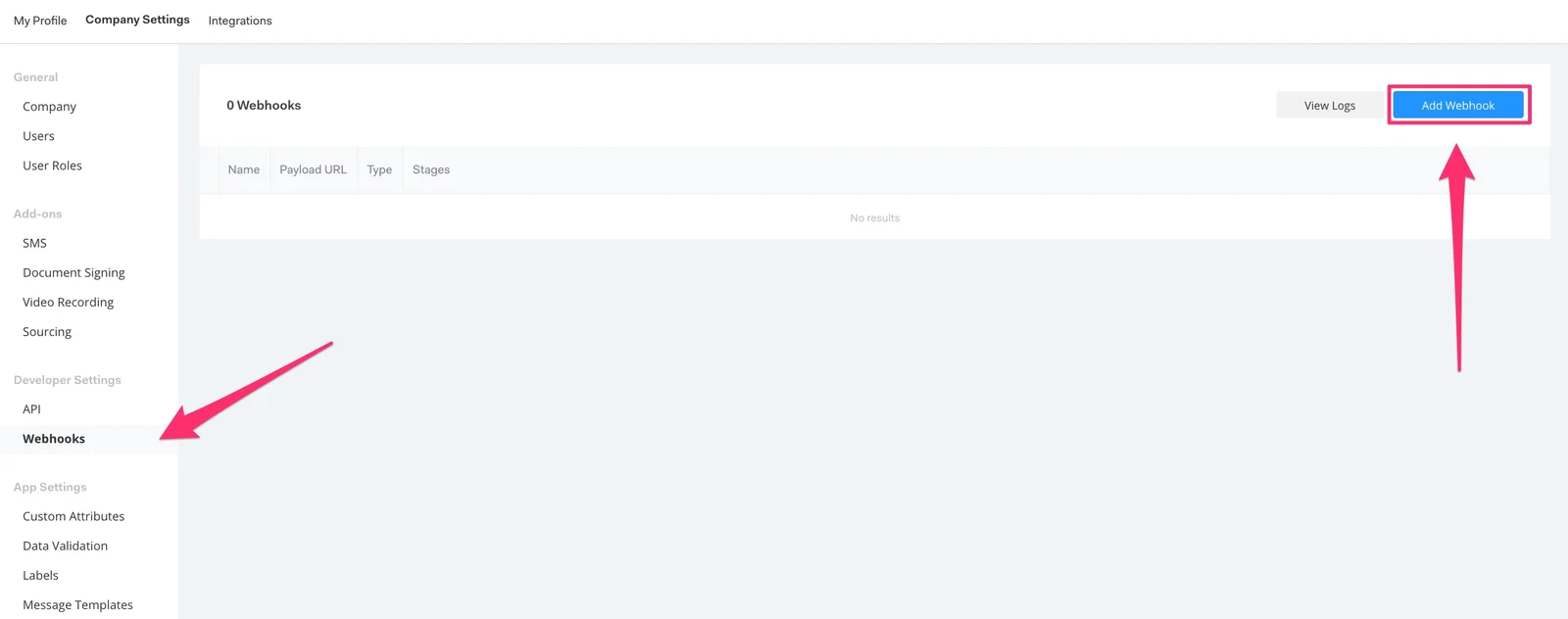
Under the Developer Settings in the left side panel, click Webhooks. You can learn more information about webhooks here.
-
Click Add Webhook.
-
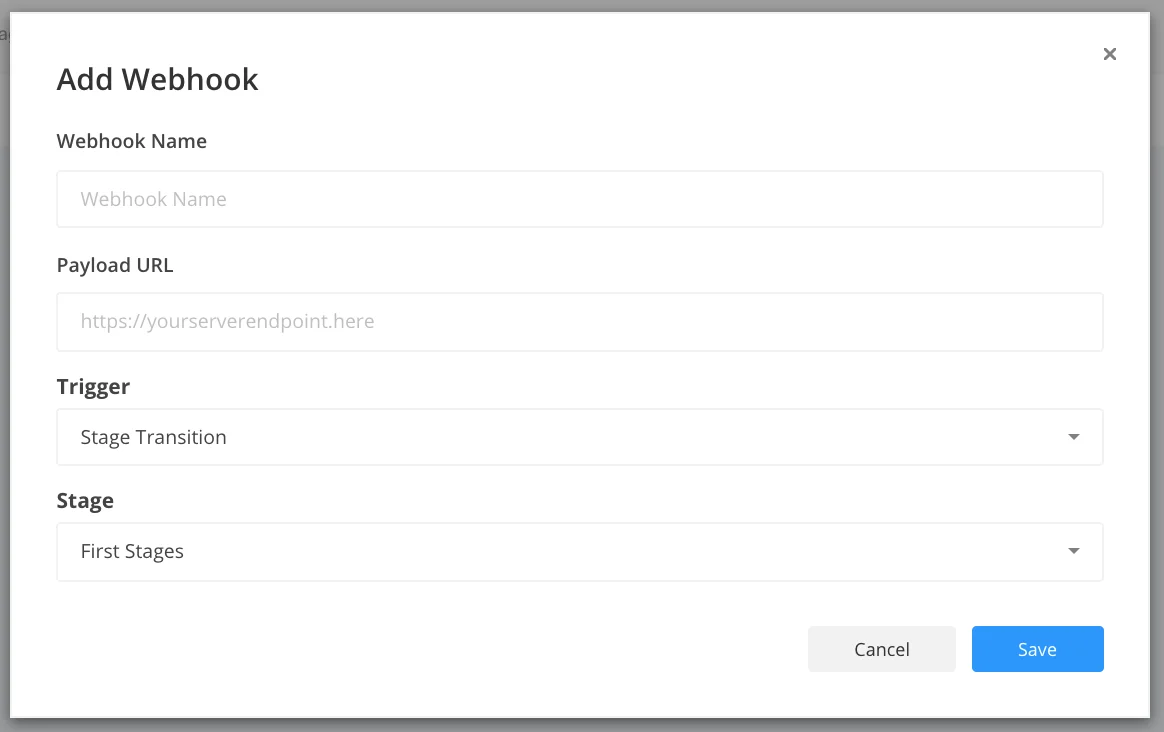
Fill in the required fields. For more information on how to fill out the fields.
-
Click Save. When applicants are moved to the stage that triggers the webhook, Rekrutek automatically fires a webhook containing the applicant payload to the provided destination URL.
-
You will then need to map the Rekrutek applicant fields into your external HRIS or internal database.