Understanding Partner Status in Rekrutek
A benefit of using Rekrutek is the ability to integrate with leading HR solutions and industry platforms. Whether you need to connect Rekrutek to a background check provider, assessment platform, or even WOTC, Rekrutek has you covered.
Once these types of integrations are active in your Rekrutek account, you will be able to review the status of the integration on the Applicant Table, Universal Applicant View, or within an Applicant’s Profile.
-
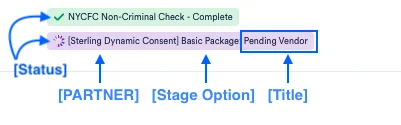
Status: The status will be identified by the color
- Green = complete
- Yellow = not started
- Purple = in progress
- Red = error
- Blue = requires action by a Rekrutek user
-
Partner: the name of the partnering integration company
-
Stage Option: the selected package per the Opening’s stage
-
Title: the name of the status which correlates to the colors listed above
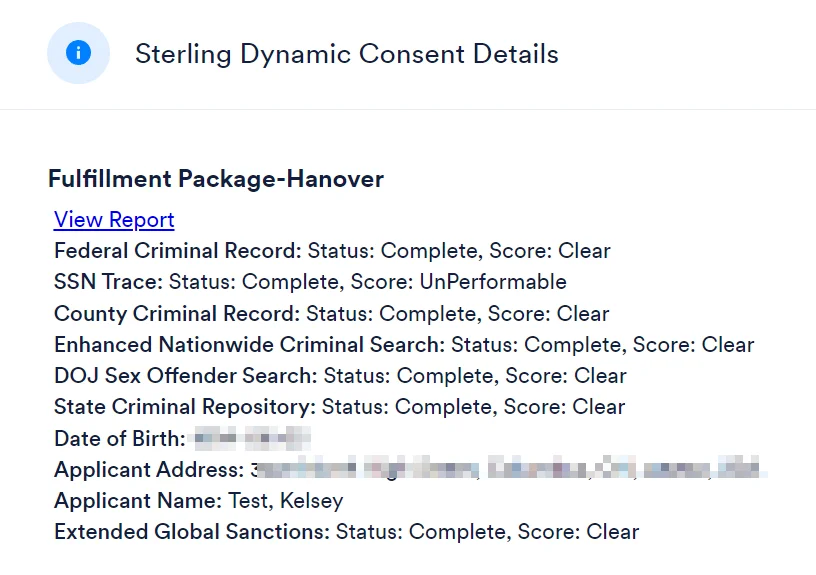
Some partner integrations may also have scores in addition to statuses. Scores can be viewed by clicking on the colored status and selecting Partner Details in the dropdown.
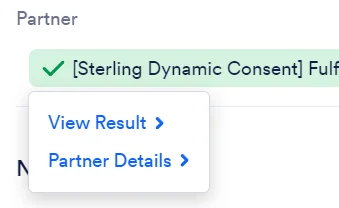
The Partner Details will open in a pop-up window. Here you can review information from the Partner including scores and a link to the full report when applicable.