Generate QR Code for Applicants
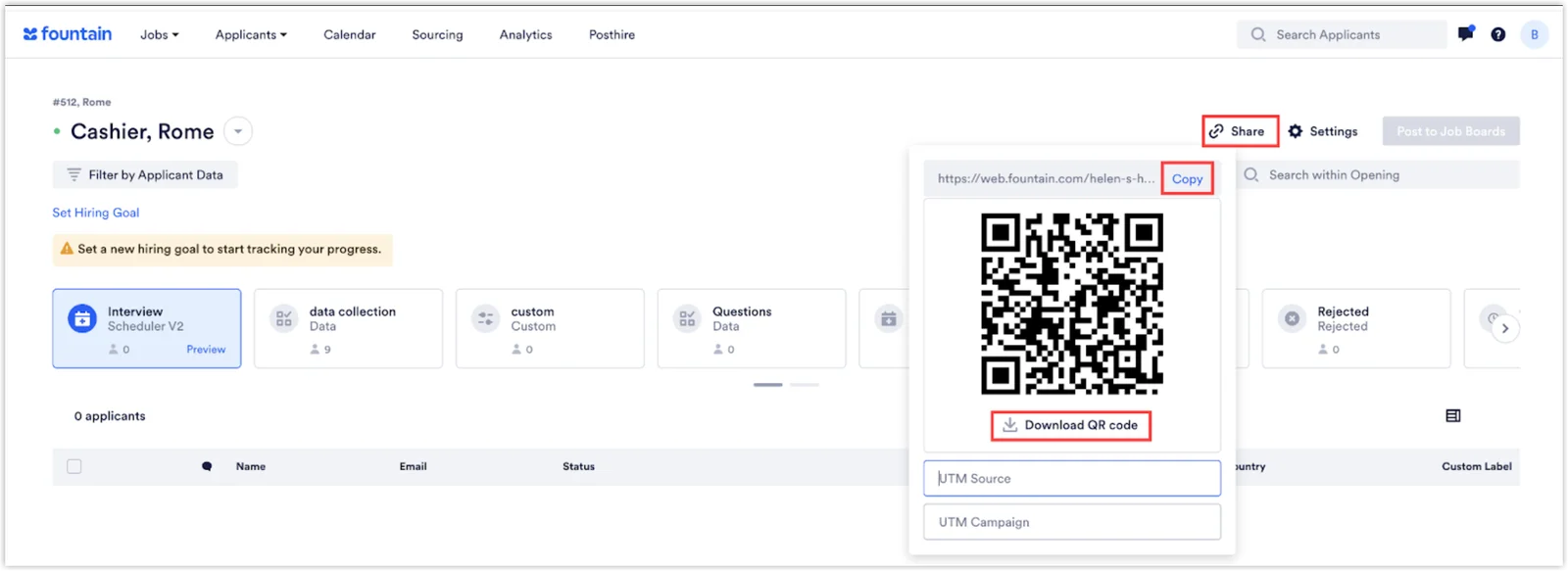
Rekrutek can generate a QR code for each of your Openings which can be used to invite applicants to the Opening’s application. The QR code can be physically printed for distribution or shared digitally on social media platforms, websites, or email campaigns.
Accessing the QR Code Generator
Section titled “Accessing the QR Code Generator”To access the shareable QR code, follow the steps below:
- Navigate to the Applicant Table for the Opening you want to use a QR code for.
- Click the Share link in the top right corner of the Applicant Table.
- The QR code will be visible in the pop-out box.
- Click Copy to copy the code and share it digitally. Click Download QR code to download a copy which can then be printed.