
Import Applicants
Rekrutek CSV imports enable you to import applicants from your stored applicant data directly into Rekrutek.
Prepare CSV
Section titled “Prepare CSV”Before you begin the import process, double-check a few elements about your CSV:
- Your file is a CSV, not an Excel (.xlsx) or Numbers (.numbers) file. Both applications allow for export to CSV by going to File –> Export.
- Your CSV, at minimum, has filled columns for ‘Name’ (or ‘First_Name’ and ‘Last_Name’), ‘Email’ and ‘Phone Number.’
- You are importing into a single position. If your CSV will feed into multiple positions, you will need to split the CSV into multiple files for each position. Filters will NOT work for CSV imports. If you’d like to import existing workers into Rekrutek, please import them into the Approved stage.
Import CSV
Section titled “Import CSV”-
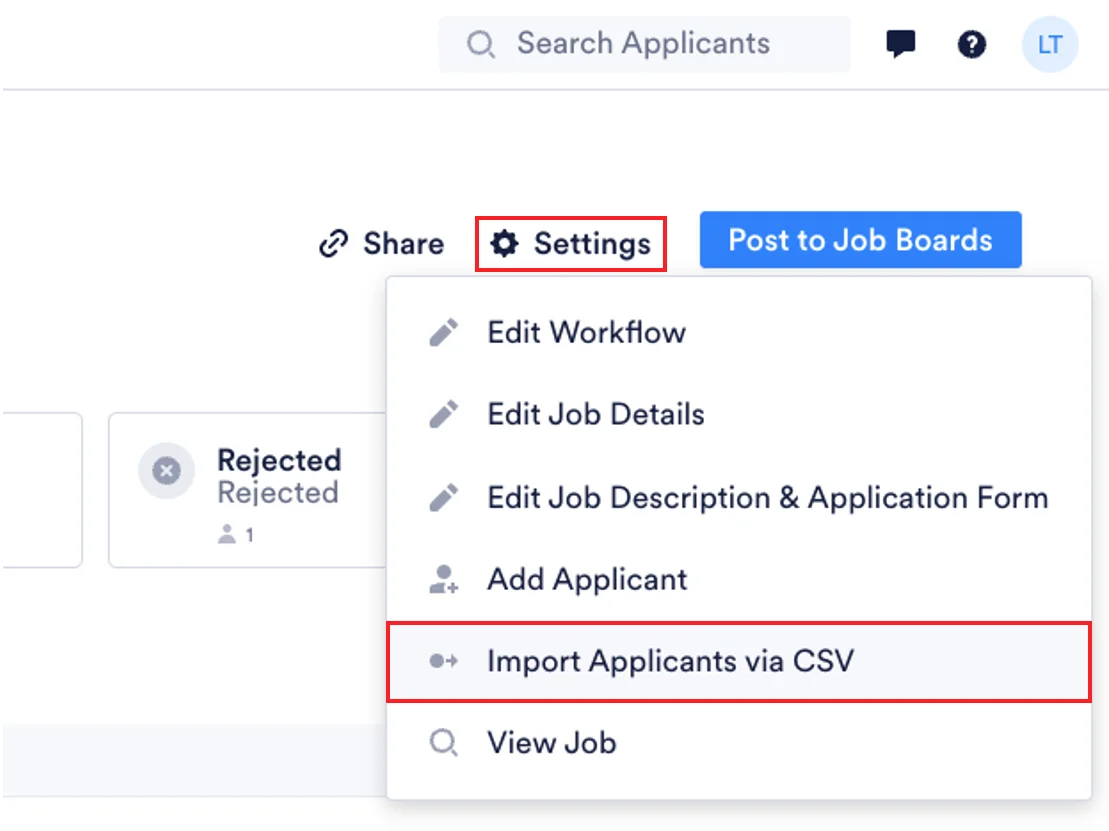
On the Applicant Table, click on Settings towards the top right of the page, then select Import Applicants via CSV.
-
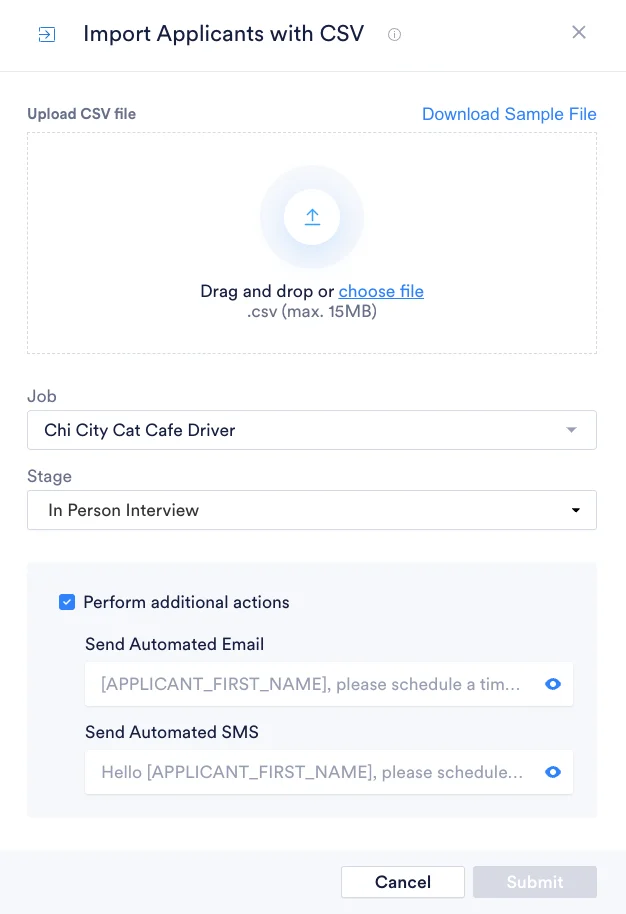
Rekrutek recommends using the sample file to build your CSVto ensure that your columns are named correctly.. Access the sample file by clicking Download Sample File.
-
Upload your file, select the stage you’d like the file to land in and whether to perform additional actions for imported applicants (when applicable per stage). Then click Submit. Depending on the size of your file, it may take some time for your data to import into Rekrutek.
-
After a few minutes, refresh your browser and you should see all your applicants in the selected stage. If you want to move them to a later stage, select them and move them to any future stage.
Confirmation
Section titled “Confirmation”You should receive an email containing the number of successful imports, failed imports, and duplicate imports once the import has been completed.