
Managing Your Indeed Organic Feed in Rekrutek
All customers of Rekrutek will be automatically signed up for Rekrutek’s Indeed Organic Feed which allows your Rekrutek job Openings to be visible when you are ready to make them live on Indeed’s website. These settings are managed in the Sourcing screen.
Introduction to Indeed Organic
Section titled “Introduction to Indeed Organic”Potential candidates look on Indeed’s website to find jobs. Candidates can enter the type of job they’re looking for and where they’d like to work or tailor what jobs they see by searching for specific salary ranges, job types, experience levels, etc.
The search results they see are a combination of non-sponsored job listings (organic listings) and sponsored jobs. These search results are matched to the search terms entered and sorted by relevance and the date the job was posted. Organic listings are jobs aggregated by Indeed’s search engine and posted for free by Rekrutek.
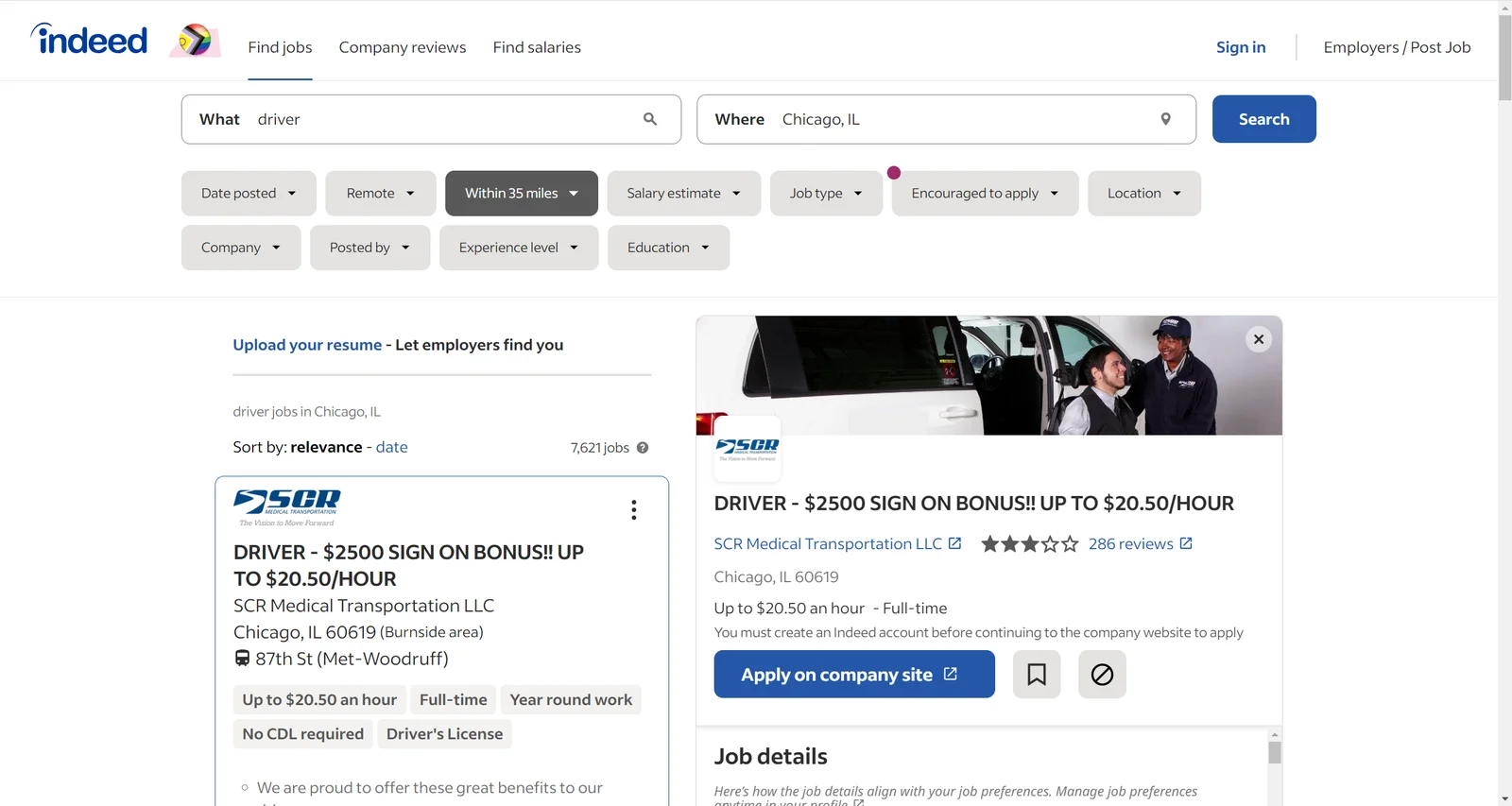
Differences Between Organic Listings and Sponsored Jobs Campaigns
Section titled “Differences Between Organic Listings and Sponsored Jobs Campaigns”Sponsored job campaigns are paid for by your company. These job campaigns are prioritized on the cost of the sponsorship and the relevance to the job seeker - and will almost always be ranked higher than organic campaigns. This is in contrast to organic jobs that fall further down the list as new organic job listings appear.
Turning on the Indeed Organic Feed
Section titled “Turning on the Indeed Organic Feed”Before you turn on the Indeed Organic Feed for your job Openings, it is important to review the Indeed Guidelines. Review our Indeed Guidelines Help Center article for more information.
When you are ready to turn on the organic feed, follow the steps below:
-
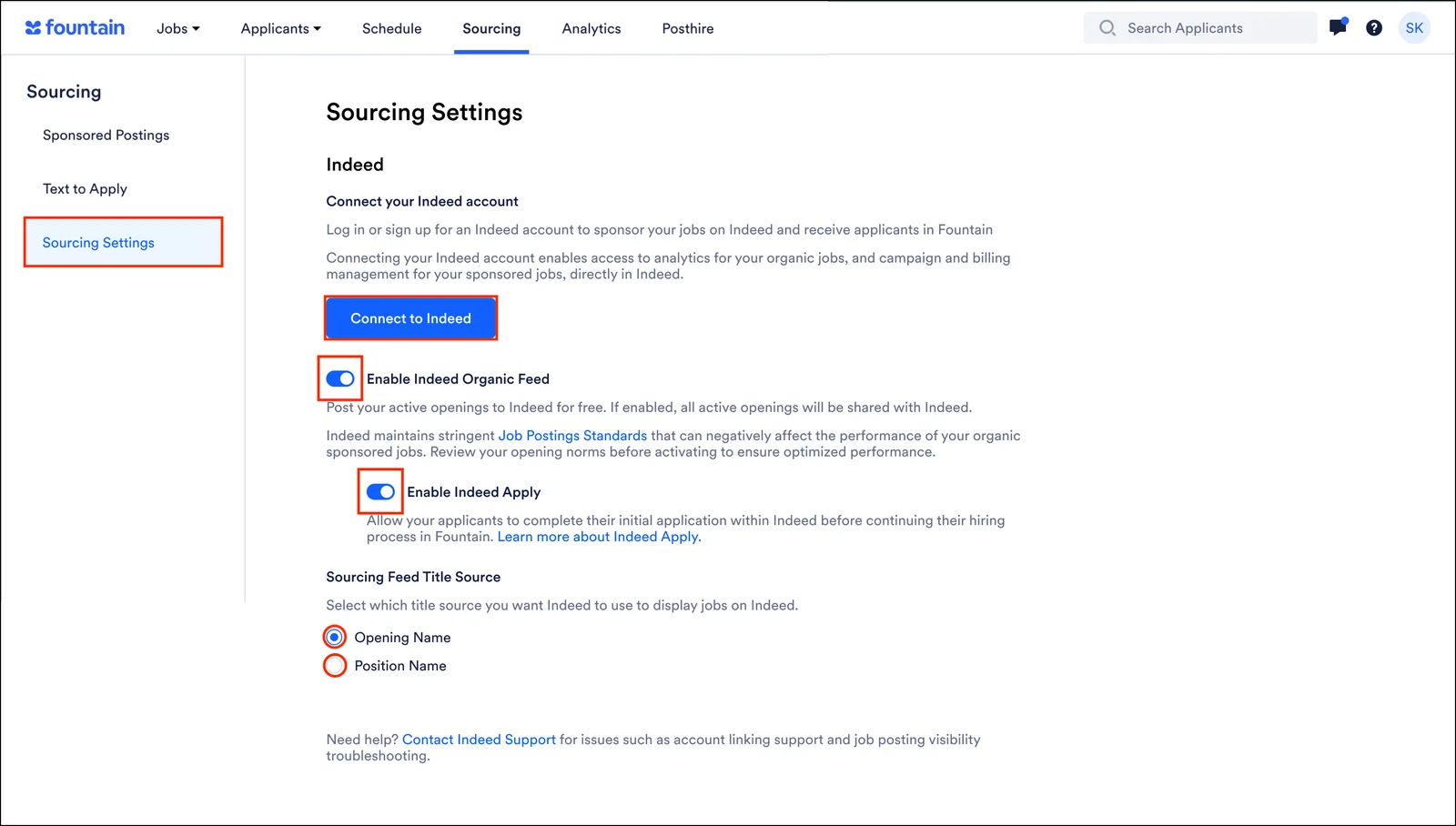
Click More in the top toolbar of any Rekrutek page then click Sourcing in the dropdown.
-
On the left side, click Sourcing Settings.
-
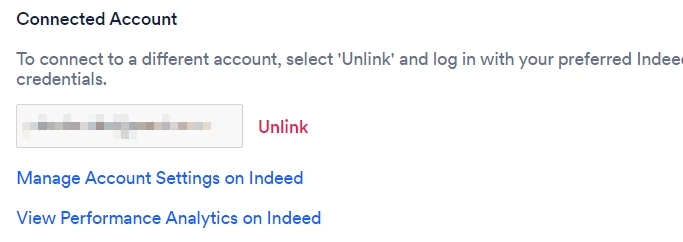
Click Connect to Indeed. You will be redirected to Indeed where you will log into your account. This is the Indeed account that will be connected to Rekrutek. Once connected you will be able to Manage Account Settings and View Performance Analytics in Indeed by clicking the links below the name of the linked account.
-
The email you use to link to your Indeed account must be registered as an Admin Level User with billing permissions.
-
-
To turn on the Indeed feed, click the Enable Indeed Organic Feed toggle to on. This will automatically turn the Enable Indeed Apply toggle on as well.
-
To turn off Indeed Apply, click the Enable Indeed Apply toggle to off.
-
Choose the title source for your job listings on Indeed by either selecting the Opening Name or Position Name radio buttons.
What is Indeed Apply?
Section titled “What is Indeed Apply?”Indeed Apply allows job seekers to apply for jobs without ever leaving Indeed. When the candidate starts the application, Indeed will display the same basic screening questions that live on your application form and in stage 1, provided it is a Data Collection stage.
The gathered information will then flow into Rekrutek’s Applicant Profile. Once the first application questions are completed and the first Data Collection stage questions are completed (if the first stage is a Data Collection stage), the applicant will be moved to the next stage in the workflow.
The recruiter can move them forward and/or the applicant can engage with the SMS / Email that is automatically sent after the applicant is created in Rekrutek. If you are planning on using Indeed Apply, work with your Implementation Manager, the Custom Success team, or Rekrutek Support Team to ensure your workflow is designed to support Indeed Apply and maximize its effectiveness.