
ZipRecruiter Sponsored Campaigns via Rekrutek
ZipRecruiter is a leading job marketplace integration that enables you to sponsor job openings and reach qualified candidates across the USA and Canada. With ZipRecruiter’s Rekrutek integration, you can post directly to ZipRecruiter’s candidate network without creating a separate ZipRecruiter account.
How ZipRecruiter Works
Section titled “How ZipRecruiter Works”When you create a ZipRecruiter sponsored posting, Rekrutek will:
- Publish your job on ZipRecruiter’s marketplace
- Make your opening visible to ZipRecruiter’s extensive candidate network
- Automatically add applicants to your Rekrutek Opening
- Attribute candidates to ZipRecruiter for sourcing analysis
ZipRecruiter Posting Details
Section titled “ZipRecruiter Posting Details”Fixed Pricing: $149 per posting (cannot be modified) Duration: 30 days (fixed) Coverage: USA and Canada Location Requirements: Physical address required; remote jobs are not supported
Eligible Openings
Section titled “Eligible Openings”Your opening must meet the following criteria to post on ZipRecruiter:
- Geography: Opening location must be in the USA or Canada
- Location Type: Remote positions are not currently supported
Use ZipRecruiter with Job Openings
Section titled “Use ZipRecruiter with Job Openings”Creating a ZipRecruiter Posting
Section titled “Creating a ZipRecruiter Posting”To create a ZipRecruiter sponsored posting, follow these steps:
-
Navigate to the Sourcing tab in the top navigation bar
-
Select Job Postings from the left menu
-
Click Post Job in the top right corner
-
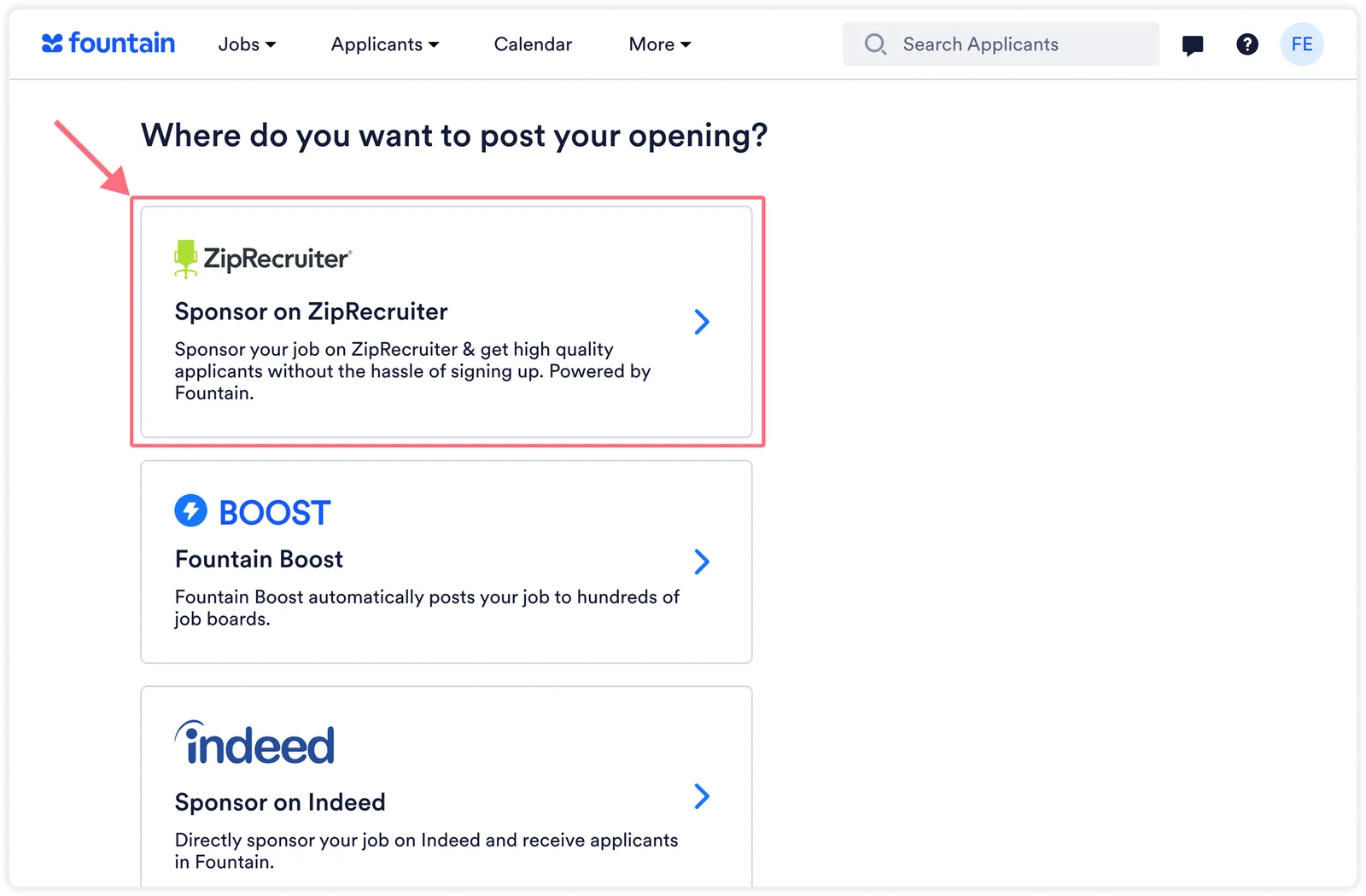
On the “Where do you want to post your opening?” screen, select Sponsor on ZipRecruiter
-
Choose the Opening you want to sponsor
-
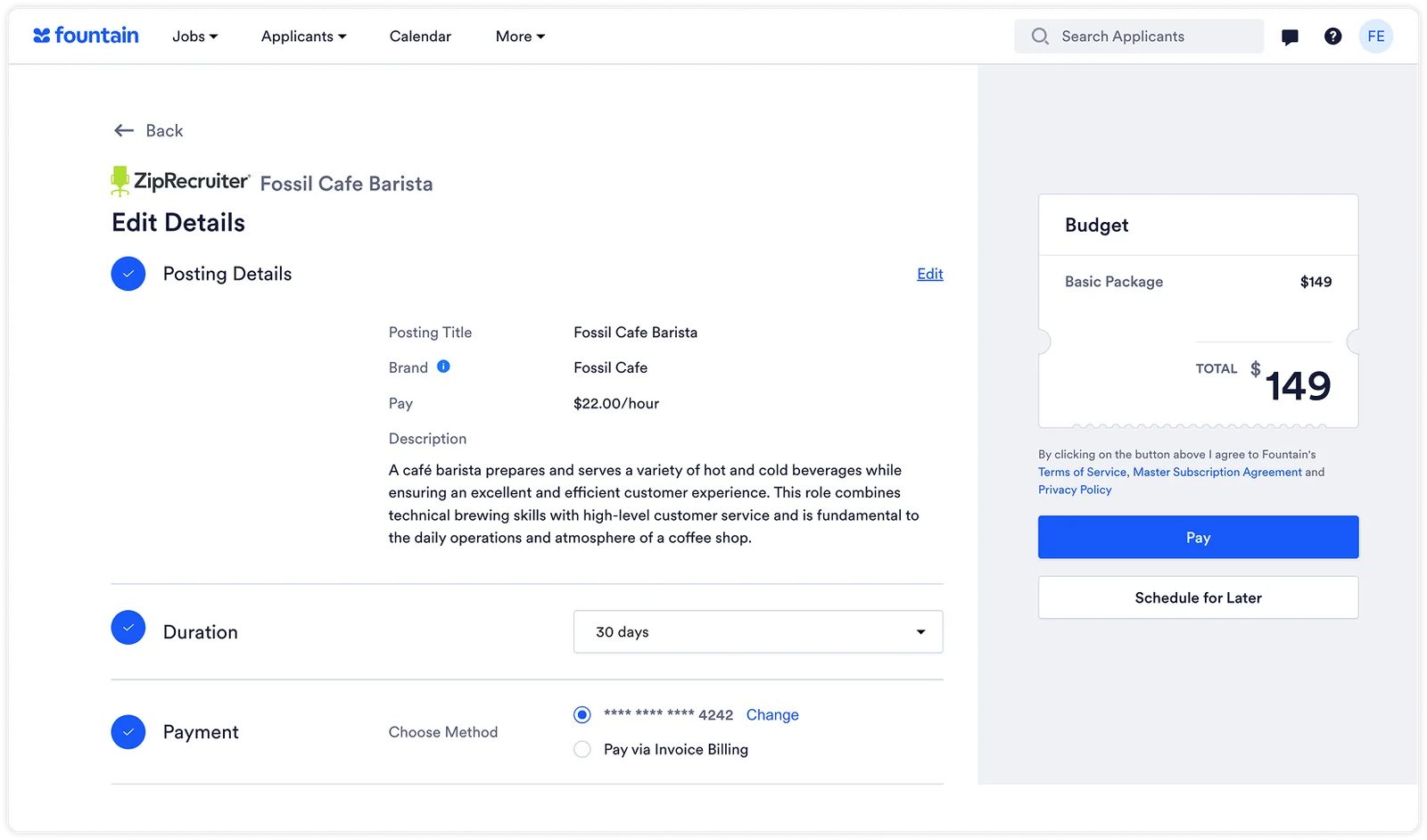
Review and confirm the posting details:
-
Posting title
-
Job description
-
Location information
-
Salary (optional but recommended)
-
-
Review the fixed pricing ($149 for 30 days)
-
Select your payment method
-
Click Pay
Managing ZipRecruiter Campaigns
Section titled “Managing ZipRecruiter Campaigns”To view and manage your ZipRecruiter campaigns:
-
Go to Sourcing > Job Postings
-
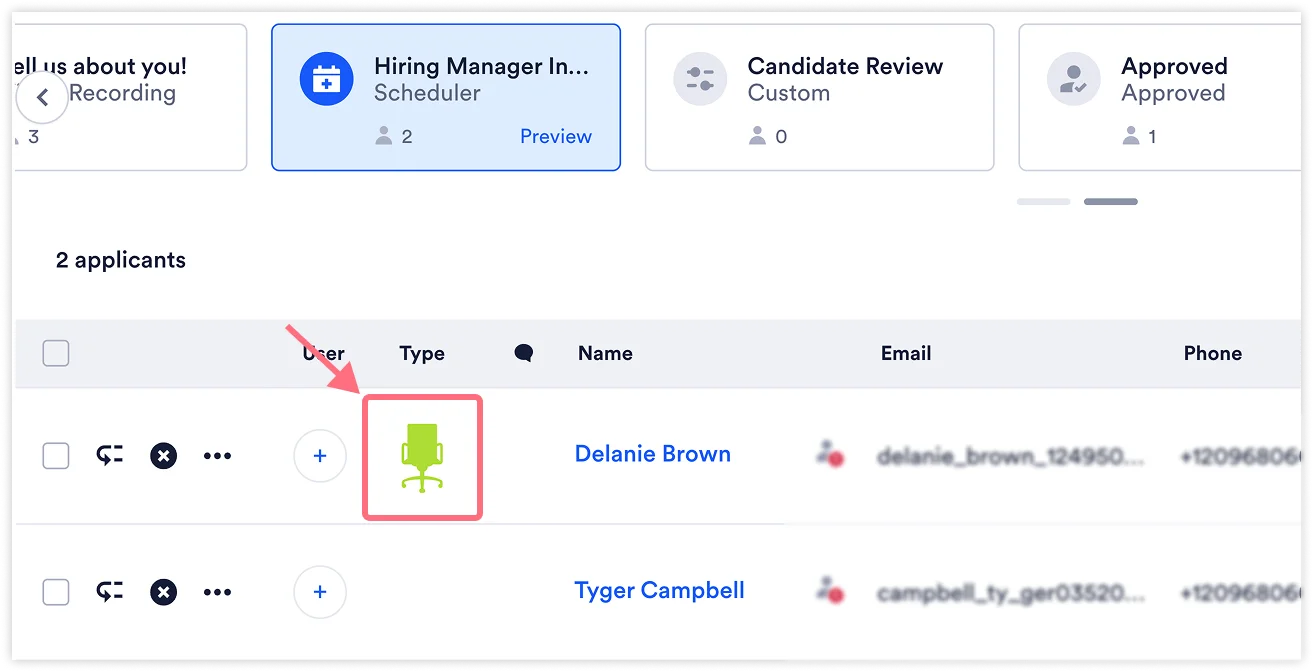
ZipRecruiter campaigns are identified with the ZipRecruiter icon in the Type column
-
Click on a campaign to view:
- Number of applicants received
- Campaign status
- Posting details
Canceling a Campaign
Section titled “Canceling a Campaign”To cancel an active ZipRecruiter campaign:
- Click on the campaign from the Job Postings list
- Click the Cancel button
- Note: Campaign cancellations can take up to 24 hours to process
Important: ZipRecruiter campaigns are not refundable. The full $149 is charged upfront for the 30-day posting period.
Tracking ZipRecruiter Applicants
Section titled “Tracking ZipRecruiter Applicants”Applicants who apply via ZipRecruiter can be identified in multiple ways:
In the Applicant Table:
-
Look for the ZipRecruiter icon next to the applicant
-
Filter by source to view all ZipRecruiter applicants
In the Applicant Profile:
-
View the UTM source field, which will indicate the applicant is from ZipRecruiter.
-
Check the details section for sourcing attribution

Things to Remember
Section titled “Things to Remember”- Fixed Pricing: You cannot adjust the $149 posting price
- Remote Restrictions: Remote positions cannot be posted to ZipRecruiter
For questions or assistance with ZipRecruiter postings, reach out to support@rekrutek.ai or the Customer Success team.